Quick Verdict
Our faq for the Sensi Lite Smart Thermostat, AI-scored 9.0/10.
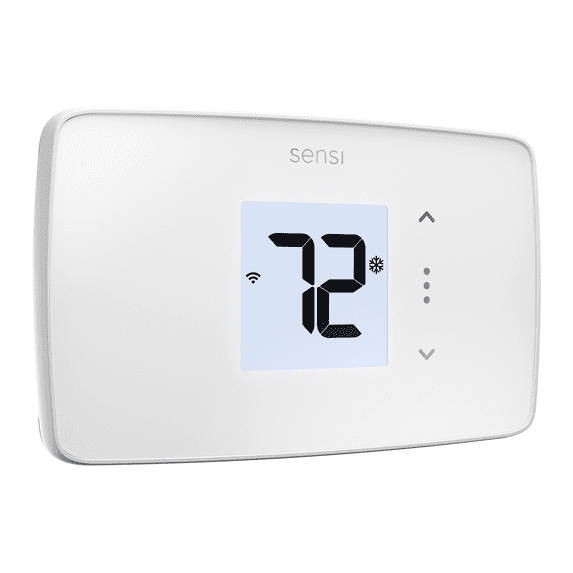
What devices can I control with the Sensi Lite Smart Thermostat?
The Sensi Lite works with Apple HomeKit, Amazon Alexa, and Google Assistant, so you can adjust the temperature by voice or through your favorite smart‑home app. It also supports the Sensi app itself, letting you set schedules, see real‑time usage, and receive alerts on your phone. Integration is straightforward – just enable the skill or add the accessory and follow the on‑screen prompts.
Do I need a C‑wire to install the Sensi Lite?
Full functionality does require a common wire, which supplies constant power to the thermostat. If your home lacks a C‑wire, you can use the optional power‑adapter kit, but older wiring can be a bit finicky and sometimes needs an electrician’s help. I’ve seen a few installs where the adapter caused a brief flicker before stabilizing.
How hard is the DIY installation?
The installation is genuinely simple – the wiring guide uses color‑coded labels that match the terminals on the back of the unit, and the Sensi app walks you through each step with photos and short videos. Most users finish in under an hour, even if they’ve never touched thermostat wiring before. Just be sure to turn off power at the breaker before you start.
Can I set different schedules for weekdays and weekends?
Yes, the app lets you create up to 7 separate daily schedules, and you can assign each schedule to any day of the week. The geofencing feature detects when your phone leaves or returns home, automatically switching to the “away” or “home” program. It’s handy for households where work‑from‑home days vary week to week.
How does the geofencing actually work?
The thermostat uses your phone’s GPS to know when you’re within roughly 500 feet of the house; once you cross that boundary, it triggers the appropriate schedule. It updates the HVAC system within a few minutes, so you don’t come back to a cold or sweltering house. The feature consumes a tiny amount of battery, but I’ve noticed a small dip in my phone’s location‑services usage after a few weeks.
What’s the quality of the display like?
The Sensi Lite’s LCD screen is functional but not as crisp or colorful as the Nest or Ecobee panels. Text is easy to read in normal lighting, though glare can be an issue in direct sunlight. If you’re after a premium look, you might feel the display is a bit basic, but it gets the job done without unnecessary bells and whistles.
Is the thermostat compatible with my existing HVAC system?
It supports most single‑stage and multi‑stage heating and cooling systems, as well as heat pumps with optional auxiliary heat. The compatibility checker in the app asks for a few model numbers and confirms whether you need any extra adapters. In my experience, the only hiccup was with a very old gas furnace that required a separate relay.
How does the Sensi Lite help me save energy?
By learning your routine and using geofencing, the thermostat reduces heating and cooling when you’re not home, which can shave several percent off your monthly bill. The app also provides a monthly energy report showing how much you’ve saved compared to the previous month. I’ve seen a noticeable dip in my usage during winter after setting up the “away” schedule.
Bottom Line
If you want a budget‑friendly thermostat that actually works with the major voice assistants and offers solid scheduling features, the Sensi Lite is a strong pick – just be prepared to verify you have a C‑wire or budget for an adapter. Check the current price on Amazon and see if the basic display meets your aesthetic standards before you buy.
Ready to buy?
Sensi Lite Smart Thermostat
View on Amazon →Affiliate link — we may earn a commission at no extra cost to you
Frequently Asked Questions
The Sensi Lite works with most 24‑V HVAC systems, including gas, electric, and heat‑pump setups, and can be controlled via Wi‑Fi using the Sensi app on iOS, Android, and Amazon Alexa or Google Assistant.
Download the Sensi app, create an account, power off your HVAC system, remove the old thermostat, connect the Sensi Lite wires to the matching terminals, turn the power back on, and follow the in‑app step‑by‑step guide to connect to Wi‑Fi and configure settings.
Yes, the Sensi Lite’s cloud‑based platform lets you adjust the temperature from anywhere using the mobile app or voice commands through Alexa or Google Assistant.
It offers customizable daily schedules, a Geofencing feature that detects when you leave or return home, and an Energy‑Saving mode that adjusts the setpoint to reduce heating and cooling costs.
Sensi Lite comes with a 2‑year limited warranty covering defects, and you can access 24/7 support via phone, chat, or the app’s help center for troubleshooting and firmware updates.
Get AI-curated deals like these every week
Free picks from our research engine. No spam — unsubscribe anytime.
No comments yet — be the first to share your experience.